-4.png?width=500&height=115&name=6789782.fs1.hubspotusercontent-na1.nethubfs6789782Product%20logosDatapharm_RGB_Logo1%20(3)-4.png)
The SmPC file must meet the following requirements, otherwise the file may fail to convert:
- It must not contain track changes.
- It must not be password‑protected.
- It must not include QRD (Quality Review Document) sections as images.
- It must not contain nested tables. See How to Fix Nested Tables for guidance.
- It must not use unsupported fonts. The following fonts are not supported:
- Bookshelf Symbol 7
- Lucida
- Marlett
- MathJax
- MathTime
- Segoe UI Symbol
- STIX Fonts project
- Webdings
- Wingdings
- Wingdings 2
- Wingdings 3
- XITS font project
- Zapf Dingbats
- It must not be saved in compatibility mode for Microsoft Word versions earlier than 2013. See How to Apply Compatibility Mode for guidance.
- Incorrect formatting may cause the file conversion to fail.
Further information on document acceptance criteria can be found in the Content Policy and Formatting Guidelines. here >
Viewing Conversion Errors
-
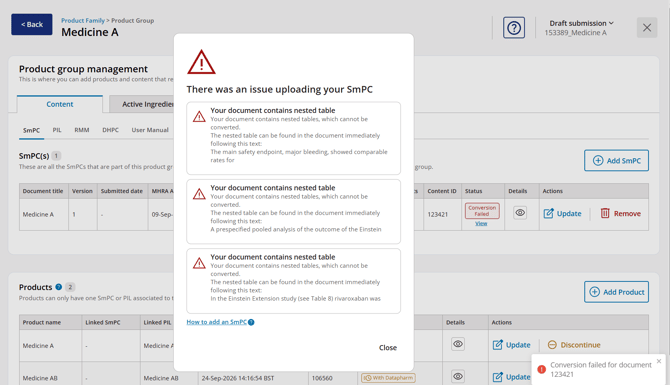
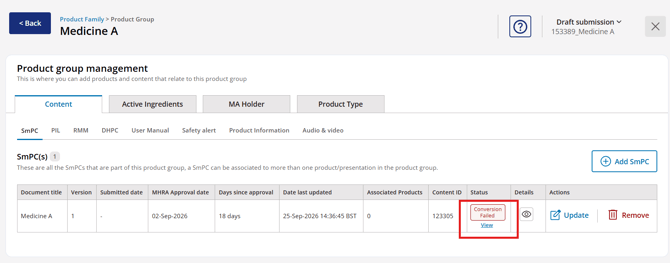
When a conversion issue is detected, the system will display an error message indicating that the document conversion has failed.
-
Select View to see details of the conversion issues identified in your document.
Common Causes of Conversion Failure
The most common reasons for conversion failures are:
-
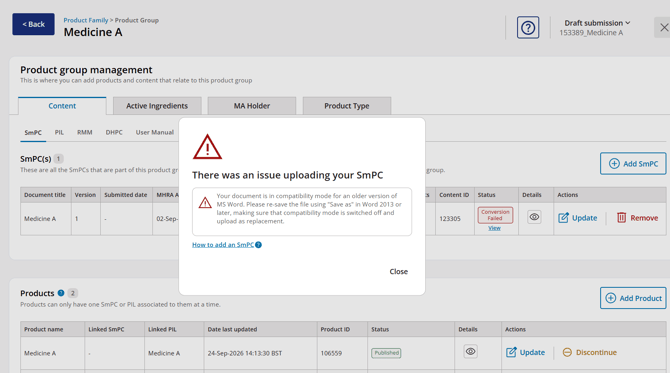
The document is saved in Microsoft Word Compatibility Mode for versions earlier than Word 2013. See How to Apply Compatibility Mode for guidance.
-
The document contains nested tables. See How to Fix Nested Tables for guidance.