-4.png?width=500&height=115&name=6789782.fs1.hubspotusercontent-na1.nethubfs6789782Product%20logosDatapharm_RGB_Logo1%20(3)-4.png)
emc Publisher allows you to save any submission as a draft at any point. This is helpful if you don’t have all the required information yet, or if you want to prepare a Product Group or Product in advance (for example, creating a product ahead of launch while waiting for internal or MHRA approval).
Where Drafts Appear
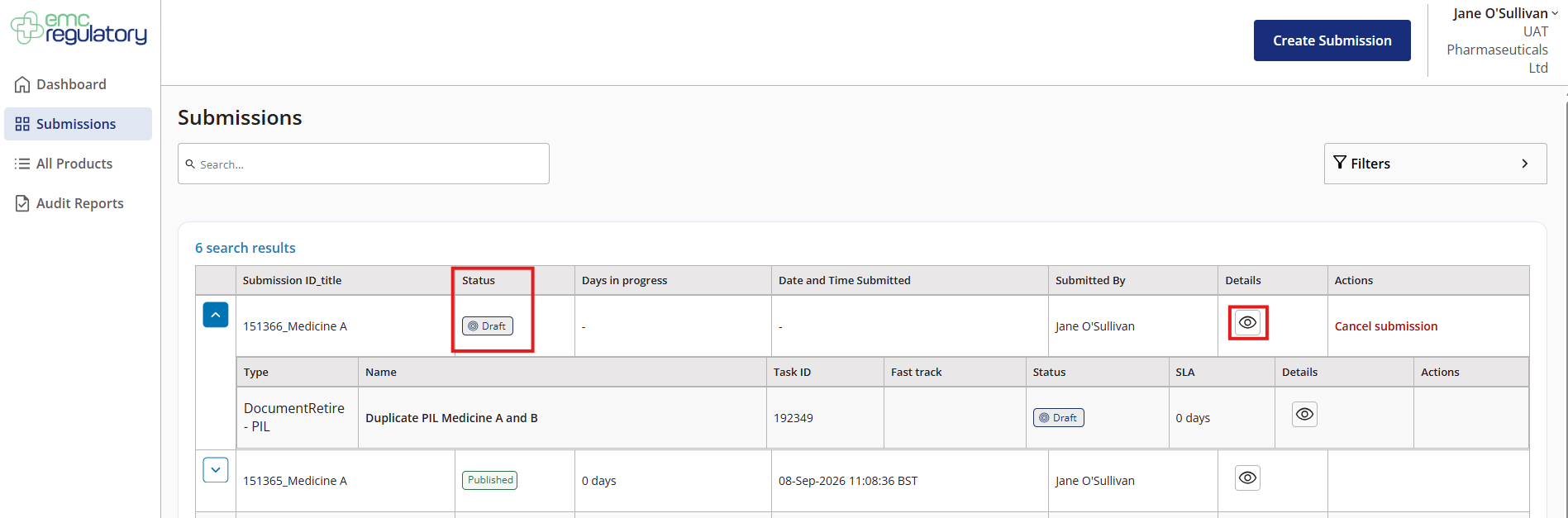
All draft submissions are listed on the Submissions page, with the status shown as Draft.
Editing a Draft
To continue working on a draft submission:
- Open the Submissions page.
- Click the details (eye) icon next to the draft to reopen it.
- Make your changes as needed.
Remember to select Save Changes to keep your progress or Cancel to discard the updates.