-4.png?width=500&height=115&name=6789782.fs1.hubspotusercontent-na1.nethubfs6789782Product%20logosDatapharm_RGB_Logo1%20(3)-4.png)
After Quality Check team (QC) reviews your submission, it may be returned to you if additional information, corrections, or updates are needed before it can move forward. To respond, please follow the steps below.
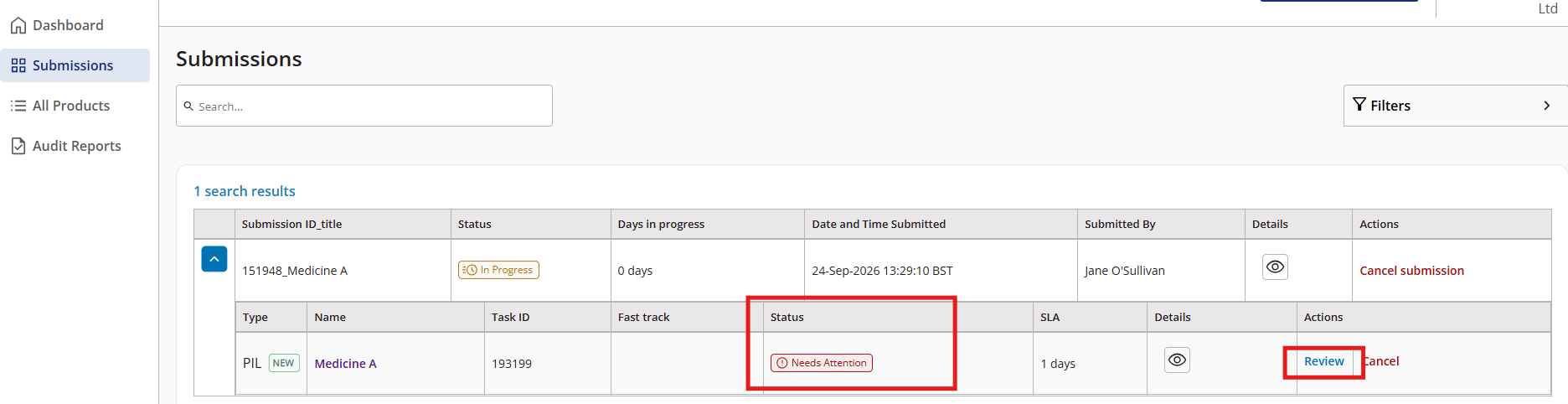
- Go to your Submissions screen
- Find the task marked Needs attention and click Review
- The task details page will open where you will see a Notes tab next to the Products tab.
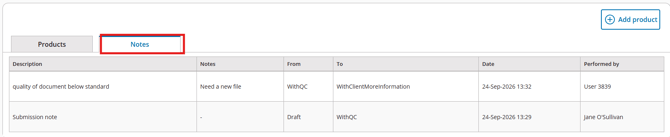
- Read the message and make any required updates
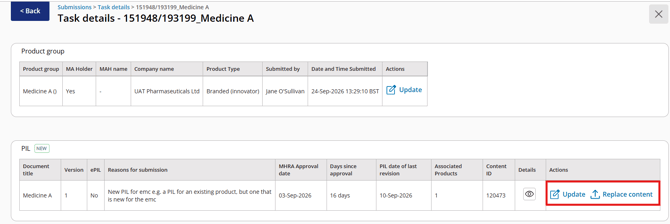
- Select Update to modify the document details or metadata or Select Replace Content if you need to upload a revised version of the document file
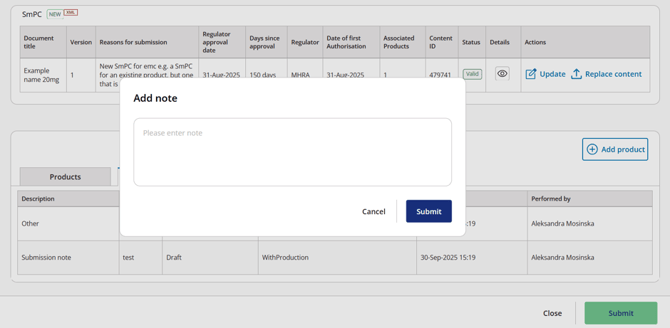
- Mark all necessary changes, then click Submit at the bottom of the page.
- Enter your message in the pop-up window and click Submit to complete the task.