-4.png?width=500&height=115&name=6789782.fs1.hubspotusercontent-na1.nethubfs6789782Product%20logosDatapharm_RGB_Logo1%20(3)-4.png)
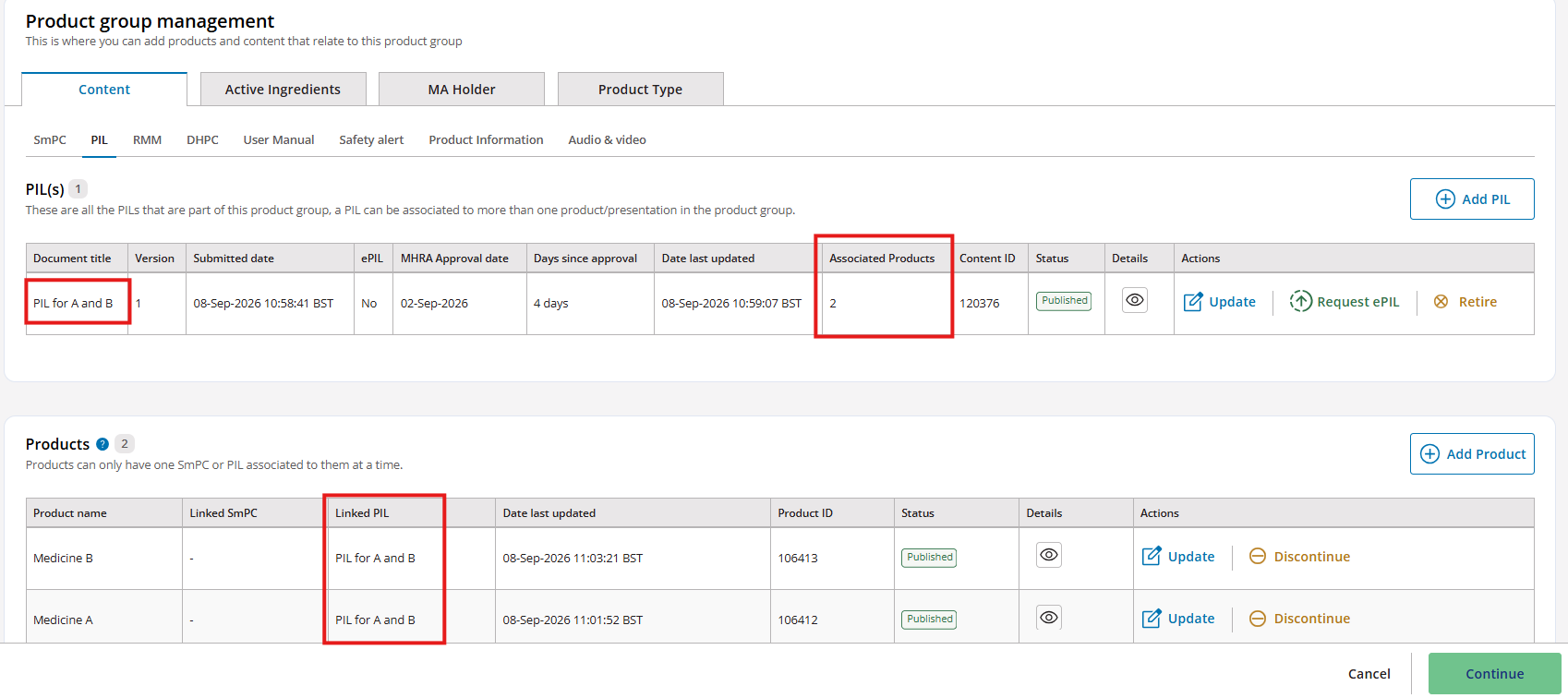
You can verify whether a document/content item is shared across multiple products by using the Product Group Management screen. Follow the steps below:
1. Check the ‘Associated Products’ column
On the Document/Content tab, look for the column called Associated Products.
- This column shows the number of products currently linked to that document.
- A number greater than 1 means the document is used by multiple products.
2. Check which products the document is linked to
Below the document list, you’ll see a table showing all products within the same product group.
To find out exactly which products a document is associated with:
- Look at the Linked column in the product table.
- This column displays the name of the document/content currently linked to each product.