-4.png?width=500&height=115&name=6789782.fs1.hubspotusercontent-na1.nethubfs6789782Product%20logosDatapharm_RGB_Logo1%20(3)-4.png)
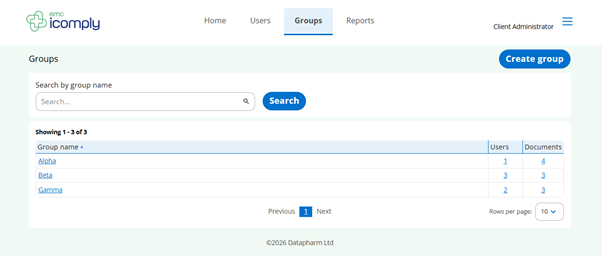
The Groups screen allows you to organise users and manage document access at scale for icomply app and web field users. For this page, client administrators can:
- View all existing groups in a simple, searchable list
- See key information at a glance, including how many users and documents are assigned to each group
- Quickly find groups using the search bar
- Create new groups to organise users based on teams, roles, or responsibilities
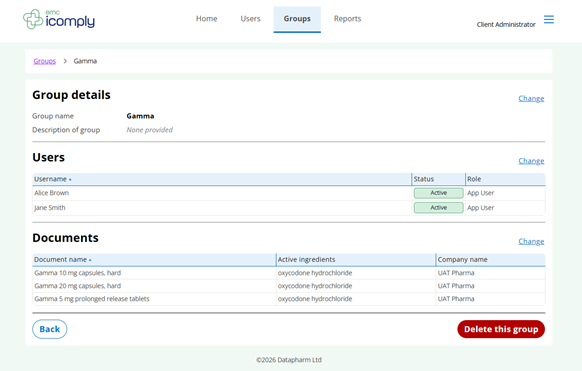
Selecting a group lets you manage its members and assigned documents, helping you ensure the right information reaches the right field users.
Note – Deleting outdated or unused groups ensures that your profile remains accurately up to date